
You need to register an account to use the E-learning system. Accounts are free to register. The registration process only takes about 10 seconds.
Eラーニングシステムを使用するにはアカウント登録が必要です。アカウントは自由に登録出来ます。登録手続きは10秒ほどしかかかりません。
1) Open the link below in a new window.
新しいウインドウで下記のリンクを開いてください
Make sure to keep the current window open so that you can follow the instructions.
説明書通りに操作できるように、必ず現在のウインドウを開けたままにしておいてください。
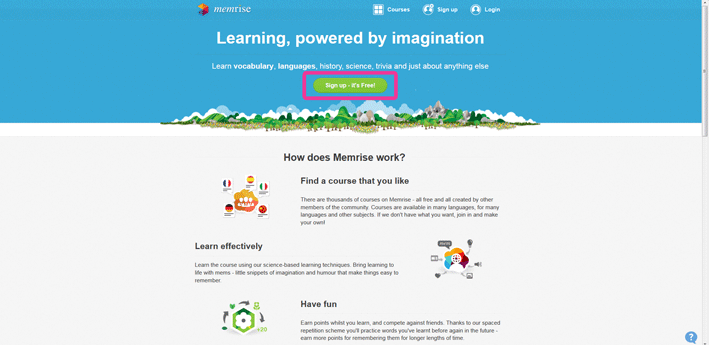
2) click the green button that says “Sign up - It’s free”
「Sign up - It’s free」という緑のボタンをクリックしてください
3) Enter your information.
あなたの情報を入力してください
There are two ways to sign up. You can use Facebook, or you can create an account. If you want to create an account, please type in the information below.
登録には2つの方法があります。Facebookを使うことも出来ますし、アカウントを作成することも出来ます。アカウントを作成したい場合は、下記の情報を入力してください。
4) Click “I agree to the terms of use” then click “sign up”
「I agree to the terms of use」をクリックし、「sign up」をクリックしてください
 7
7
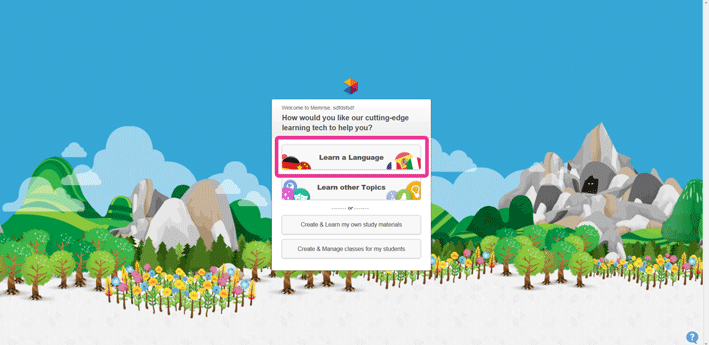
5) Click “Learn other languages”
「Learn other languages」をクリックしてください
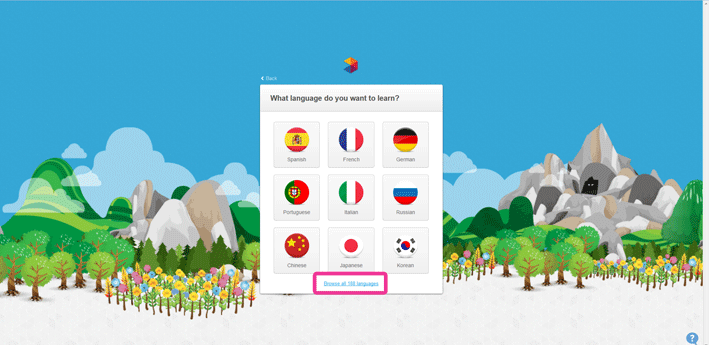
6) Click “Browse other 188 languages”
「Browse other 188 languages」をクリックしてください
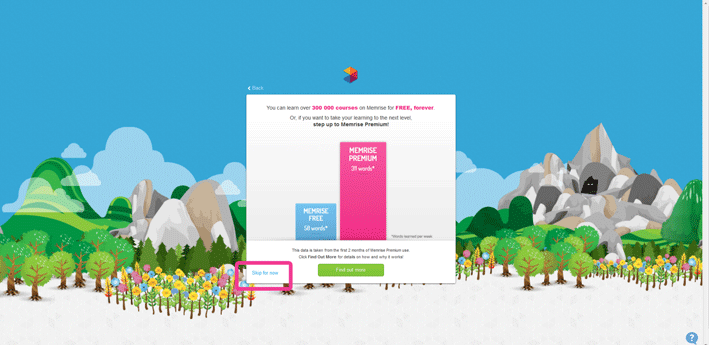
7) Click “Skip for now”
「Skip for now」をクリックしてください
8) The main Memrise page will appear. Close this page.
Memriseメインページが出てきます。このページを閉じてください。
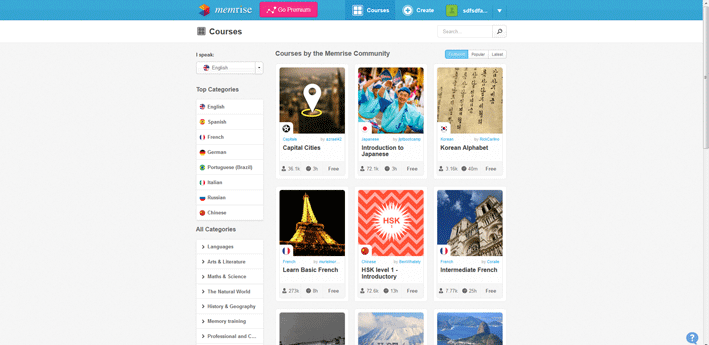
After you have a “Memrise” account you can now use the E-learning system to study PRESS courses.
「Memrise」アカウントを作成した後、PRESSコースを学ぶためにEラーニングシステムを使用出来ます。
1) Press the “Green button”
「緑のボタン」を押してください
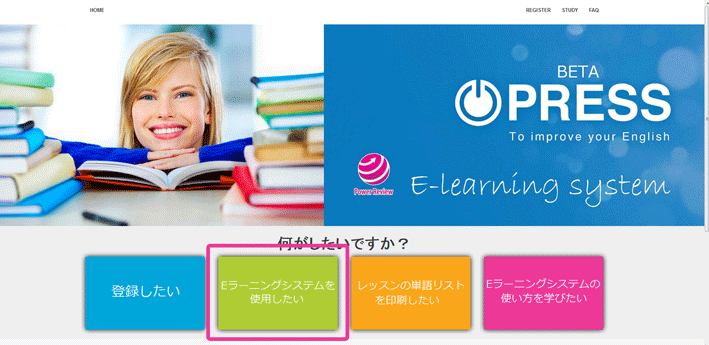
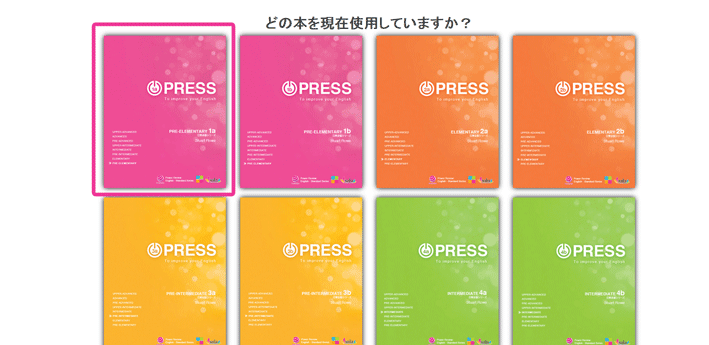
2) Choose the book you want to study
勉強したい本を選んでください
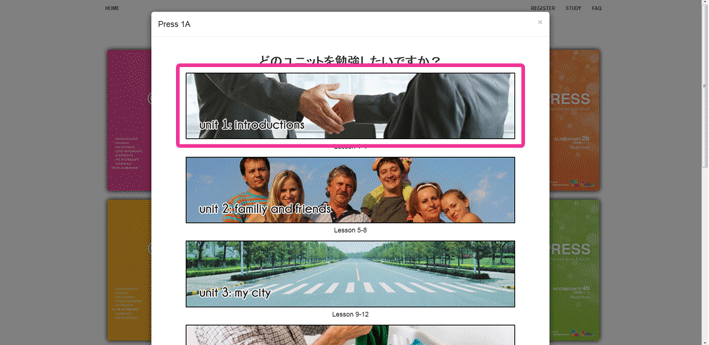
3) Choose the unit you want to study
勉強したいユニットを選んでください
4) PRESS “Start learning”
「Start learning」を押してください
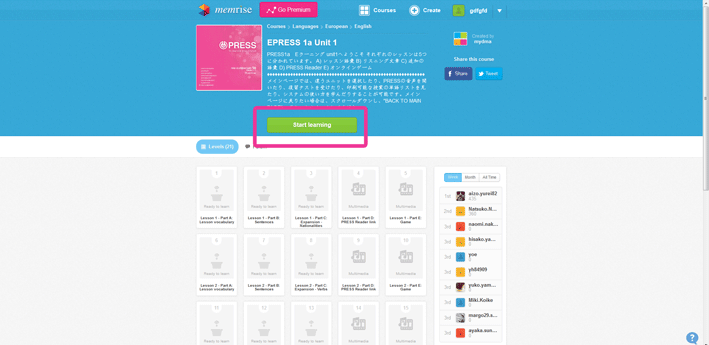
After you have registered a course, you can view that course inside Memrise.
コースを登録した後、Memrise内でそのコースをご覧いただけます。
1) Just go to “www.memrise.com” and select your name then scroll down to “home”
「www.memrise.com」まで行き、ご自身の名前を選んで「home」までスクロールするだ けです。
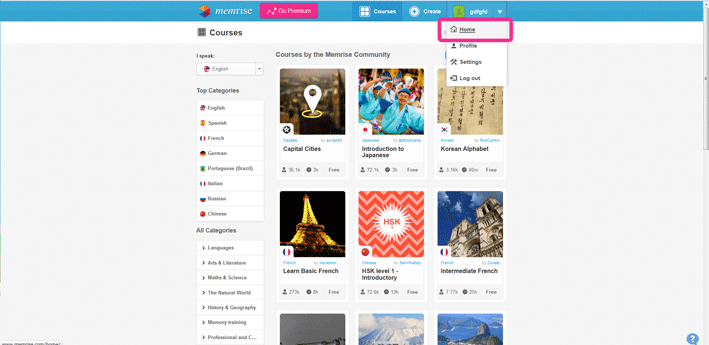
2) Click your course you want to study
勉強したいコースをクリックしてください

The Memrise app is available for iPhone, iPad, Android smart phones, and Android tablets.
出先での勉強を可能にしAndroidとidevicesの両方で使える無料のモバイルアプリです。
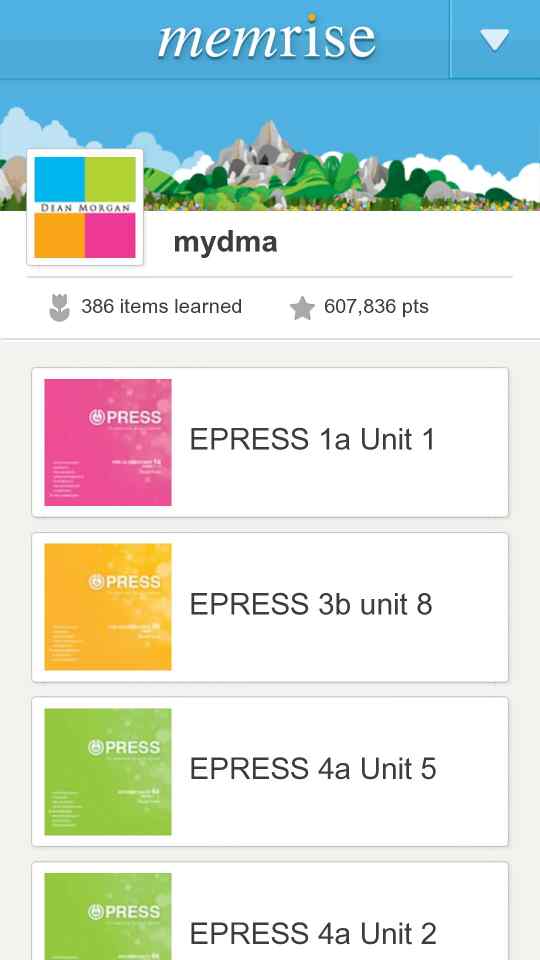
1) Click the link below to download it for free.
リンクは下記を参照してください。
You can't register new PRESS courses from within the app. You need to register new courses from the PRESS E-learning website. As soon as you register a course it will be available from within the app.
コースがウェブサイトのアカウントで許可されないと、コースはモバイルアプリでしか見れなくなることにご注意ください。新しいコースをモバイルアプリで登録することは出来ません。
もっと学びたい場合や質問がある場合は、FAQをクリックするか、親切な先生やスチューデントカウンセラーにお尋ねください。

